行为型-状态模式(State Pattern)
wabicai
# 行为型-状态模式(State Pattern)
# 适用情况:
- 条件分支很多
- 有指定几个状态
- 如:抽奖、括号匹配、HTML 解析器、状态机的实现
# 抽奖问题
有一个需求:我需要进行抽奖。
- 点击抽奖按钮进行前置判断 1:拥有的代币 A 是否足够一次抽奖
- 前置判断 2: 如果足够,直接跳转到抽奖逻辑。如果不够,跳转前置判断 3: 判断拥有的代币 B 是否能兑换足够的代币 A。
- 前置判断 3:如果代币 B 足够,弹窗询问用户是否要通过代币 B 兑换 A 并且抽奖,即步骤 4。如果代币 B 不够,则直接弹出商店购买页面。
- 通过代币 B 兑换代币 A:有两个接口: buyCoin 和 lottery。需要先 buyCoin,再 lottery。这里需要做防抖处理。
- 如果代币足够则直接抽奖。
<template>
  <div>
    <button @click="handleLottery">抽奖</button>
  </div>
</template>
<script>
class LotteryStateMachine {
  constructor() {
    this.state = this.checkTokenAState;
  }

  checkTokenAState() {
    const tokenA = 10; // 假设代币A数量为10
    if (tokenA >= 1) {
      this.lotteryState();
    } else {
      this.checkTokenBState();
    }
  }

  checkTokenBState() {
    const tokenB = 20; // 假设代币B数量为20
    if (tokenB >= 10) {
      const confirmExchange = confirm("是否通过代币B兑换代币A并抽奖?");
      if (confirmExchange) {
        this.exchangeTokensState();
      } else {
        this.openStoreState();
      }
    } else {
      this.openStoreState();
    }
  }

  exchangeTokensState() {
    // 调用接口 buyCoin 和 lottery,需要防抖处理
    console.log("兑换代币A并抽奖");
    this.lotteryState();
  }

  openStoreState() {
    console.log("打开商店购买页面");
  }

  lotteryState() {
    console.log("进行抽奖");
  }

  handleLottery() {
    this.checkTokenAState();
  }
}

export default {
  methods: {
    handleLottery() {
      let lotteryMachine = new LotteryStateMachine();
      lotteryMachine.handleLottery();
    },
  },
};
</script>
1
2
3
4
5
6
7
8
9
10
11
12
13
14
15
16
17
18
19
20
21
22
23
24
25
26
27
28
29
30
31
32
33
34
35
36
37
38
39
40
41
42
43
44
45
46
47
48
49
50
51
52
53
54
55
56
57
58
59
60
61
62
2
3
4
5
6
7
8
9
10
11
12
13
14
15
16
17
18
19
20
21
22
23
24
25
26
27
28
29
30
31
32
33
34
35
36
37
38
39
40
41
42
43
44
45
46
47
48
49
50
51
52
53
54
55
56
57
58
59
60
61
62
# 从括号匹配聊到 HTML 解析器和状态机
tips: 本文默认读者已经掌握基本数据结构知识。 基于 TypeScript 解法
# 括号匹配
# 问题描述
给定一个只包括 '(',')','{','}','[',']' 的字符串 s ,判断字符串是否有效。
有效字符串需满足:
- 左括号必须用相同类型的右括号闭合。
- 左括号必须以正确的顺序闭合。
- 每个右括号都有一个对应的相同类型的左括号。
示例 1:
输入:s = "()" 输出:true
示例 2:
输入:s = "()[]{}" 输出:true
示例 3:
输入:s = "(]" 输出:false
# 括号匹配:哈希表+栈
最常见解法,时间复杂度 O(n),空间复杂度 O(n)
function isVaild(str) {
  const map = new Map();
  map.set(")", "(");
  map.set("]", "[");
  map.set("}", "{");

  const stack = [];
  for (let i of s) {
    if (map.has(i)) {
      const current = stack.pop();
      if (current !== map.get(i)) return false;
    } else {
      stack.push(i);
    }
  }
  return stack.length === 0;
}
1
2
3
4
5
6
7
8
9
10
11
12
13
14
15
16
17
2
3
4
5
6
7
8
9
10
11
12
13
14
15
16
17
面试官:现实情况肯定很复杂,比如
HTML解析器。要求匹配<div></div>,这种情况该怎么解决
# HTML 解析器
- tips:从本质上来讲,括号匹配和标签匹配是同种类型,都是要验证括号/标签是否符合规则。
# 问题描述
给定一个 HTML 字符串,输出解析后的 DOM 树,
- 字符串只考虑普通标签,不考虑自闭合标签 如:
<img>- 只考虑普通标签,如 p,span,div
- 字符串一定符合 HTML 规范 示例: 输入:
<div><p>这是p</p><h1>这是h1</h1></div>输出:{ tag: 'div', content: '', children: [ { tag: 'p', content: '这是p', children: [] }, { tag: 'h1', content: '这是h1', children: [] } ] }1
2
3
4
5
6
7
8
9
10
11
12
13
14
15
16
# HTML 解析器(简单版本): 正则表达式+栈
思路:
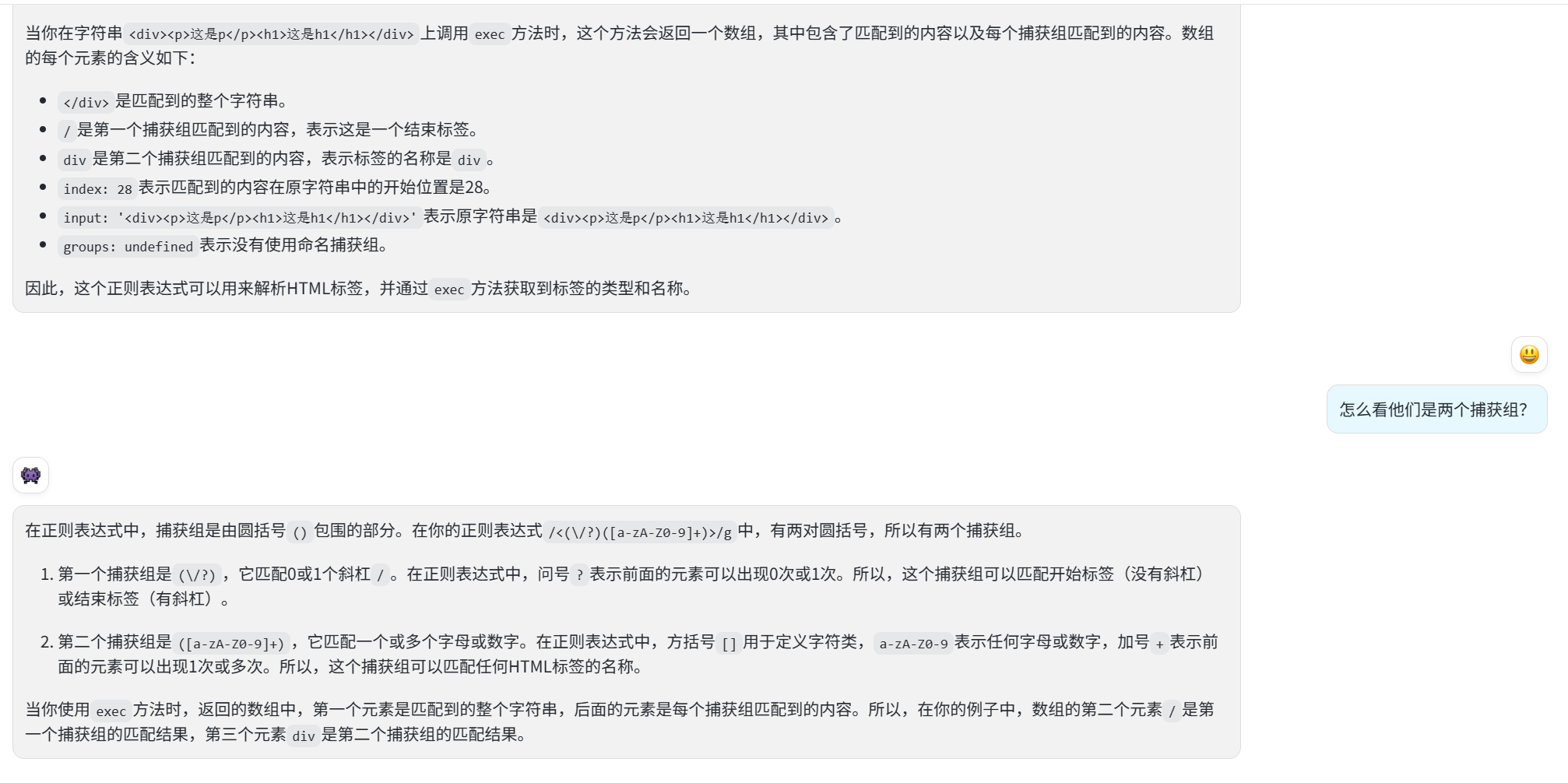
- 通过正则表达式 exec 函数,匹配出
标签名和标签所在index。 - 遇到开标签入栈,闭标签出栈。
- 标签内容通过 index 截取。
function parseHTML(html) {
  function createNode(tag, content, children) {
    return {
      tag,
      content,
      children,
    };
  }
  let match = null;
  let root = createNode("root", "", []);
}
const html = "<div><p>这是p</p><h1>这是h1</h1></div>";
console.log(parseHTML(html));
1
2
3
4
5
6
7
8
9
10
11
12
13
2
3
4
5
6
7
8
9
10
11
12
13
# HTML 解析器(参考自 htmlparser2 库):状态机
htmlparser2 源码:htmlparser2 (opens new window)
class HTMLNode {
  constructor(type, content = "") {
    this.type = type;
    this.content = content;
    this.children = [];
  }
}

class HTMLDocumentParser {
  constructor(htmlString) {
    this.htmlString = htmlString;
    this.documentRoot = new HTMLNode("document");
    this.nodeStack = [this.documentRoot];
    this.parserState = this.dataState;
  }

  parseHTML() {
    for (let char of this.htmlString) {
      this.parserState = this.parserState(char);
    }
    return this.documentRoot;
  }

  dataState(char) {
    if (char === "<") {
      return this.openTagState;
    } else {
      this.emitNode("text", char);
      return this.dataState;
    }
  }

  openTagState(char) {
    if (char === "/") {
      return this.openEndTagState;
    } else {
      this.emitNode("startTag", char);
      return this.tagNameState;
    }
  }

  tagNameState(char) {
    if (char === ">") {
      this.emitNode();
      return this.dataState;
    } else {
      this.currentNode.content += char;
      return this.tagNameState;
    }
  }

  openEndTagState(char) {
    this.emitNode("endTag", char);
    return this.endTagNameState;
  }

  endTagNameState(char) {
    if (char === ">") {
      this.emitNode();
      return this.dataState;
    } else {
      this.currentNode.content += char;
      return this.endTagNameState;
    }
  }

  emitNode(type = "", content = "") {
    if (type) {
      this.currentNode = new HTMLNode(type, content);
    } else {
      let topNode = this.nodeStack[0];
      if (this.currentNode.type === "startTag") {
        this.nodeStack.unshift(this.currentNode);
        topNode.children.push(this.currentNode);
      } else if (this.currentNode.type === "endTag") {
        if (topNode.content !== this.currentNode.content) {
          throw new Error("Tag start end doesn't match!");
        } else {
          this.nodeStack.shift();
        }
      } else {
        if (this.currentNode.content.trim() !== "") {
          topNode.children.push(this.currentNode);
        }
      }
    }
  }
}

let htmlString = `<div>
  <h1>这是h1</h1>
  <p>这是p</p>
  <div>
    这是div
    <h2>h2</h2>
  </div>
</div>`;

let documentParser = new HTMLDocumentParser(htmlString);
let documentRoot = documentParser.parseHTML();
console.error("documentParser", documentParser);
console.log(JSON.stringify(documentRoot, null, 2));
1
2
3
4
5
6
7
8
9
10
11
12
13
14
15
16
17
18
19
20
21
22
23
24
25
26
27
28
29
30
31
32
33
34
35
36
37
38
39
40
41
42
43
44
45
46
47
48
49
50
51
52
53
54
55
56
57
58
59
60
61
62
63
64
65
66
67
68
69
70
71
72
73
74
75
76
77
78
79
80
81
82
83
84
85
86
87
88
89
90
91
92
93
94
95
96
97
98
99
100
101
102
2
3
4
5
6
7
8
9
10
11
12
13
14
15
16
17
18
19
20
21
22
23
24
25
26
27
28
29
30
31
32
33
34
35
36
37
38
39
40
41
42
43
44
45
46
47
48
49
50
51
52
53
54
55
56
57
58
59
60
61
62
63
64
65
66
67
68
69
70
71
72
73
74
75
76
77
78
79
80
81
82
83
84
85
86
87
88
89
90
91
92
93
94
95
96
97
98
99
100
101
102